
How to Test Telegram Software Before Buying: Use Your Own Workflow
A program may be able to connect an account, send a test message, and generate a report. That is not enough for day-to-day work. A specialist still has to prepare accounts, collect data, clean the database, run the required actions, process replies, and save the results.
Problems are often discovered at the handoffs between stages. Collected data may have to be converted manually into the required format, messages checked in Telegram, and replies from different accounts gathered in one place. These operations take time and affect how convenient the entire workflow is.
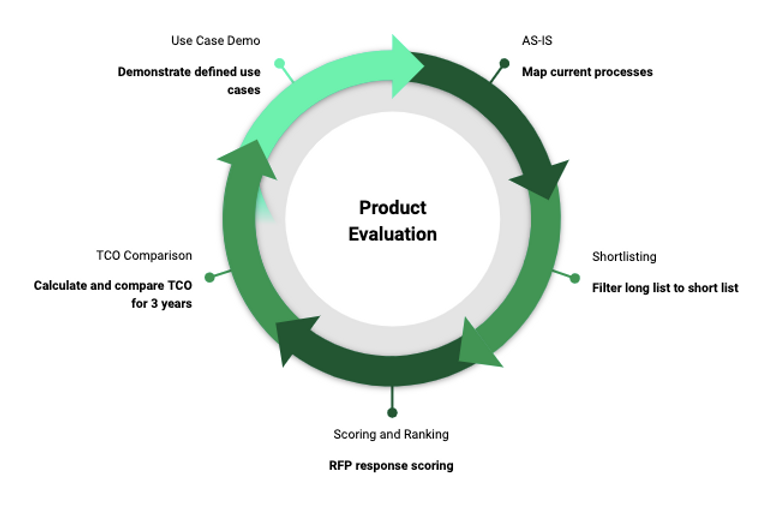
Before buying Telegram software, reproduce one familiar work process from start to finish. A small test will help you verify the required functions, estimate how much manual work remains, and compare several programs using the same criteria.
1. Describe the Task the Program Must Perform
Choose One Regular Workflow
Select a task that you perform regularly. Describe its sequence as a series of simple actions.
For example, a specialist may need to prepare working accounts, collect users who wrote in a specific chat during a selected period, exclude records that have already been processed, send a message to test recipients, receive replies, and save the results.
The sequence will vary depending on the project. Channel promotion may require finding relevant communities and publishing Stories. When several accounts are used, handling incoming messages becomes especially important. For a team focused on audience acquisition, database preparation and control over completed operations are key.
Write down every stage of your process. Note what data is required at each step and what result should be produced. This makes it clear which functions need to be tested and where the program should simplify the work.
Separate Must-Have Features from Optional Ones
Divide your software requirements into three groups:
- Must-have. The work task cannot be completed without these functions.
- Useful. They reduce manual work, but an acceptable workaround is currently available.
- For later. These functions may become useful as the project grows.
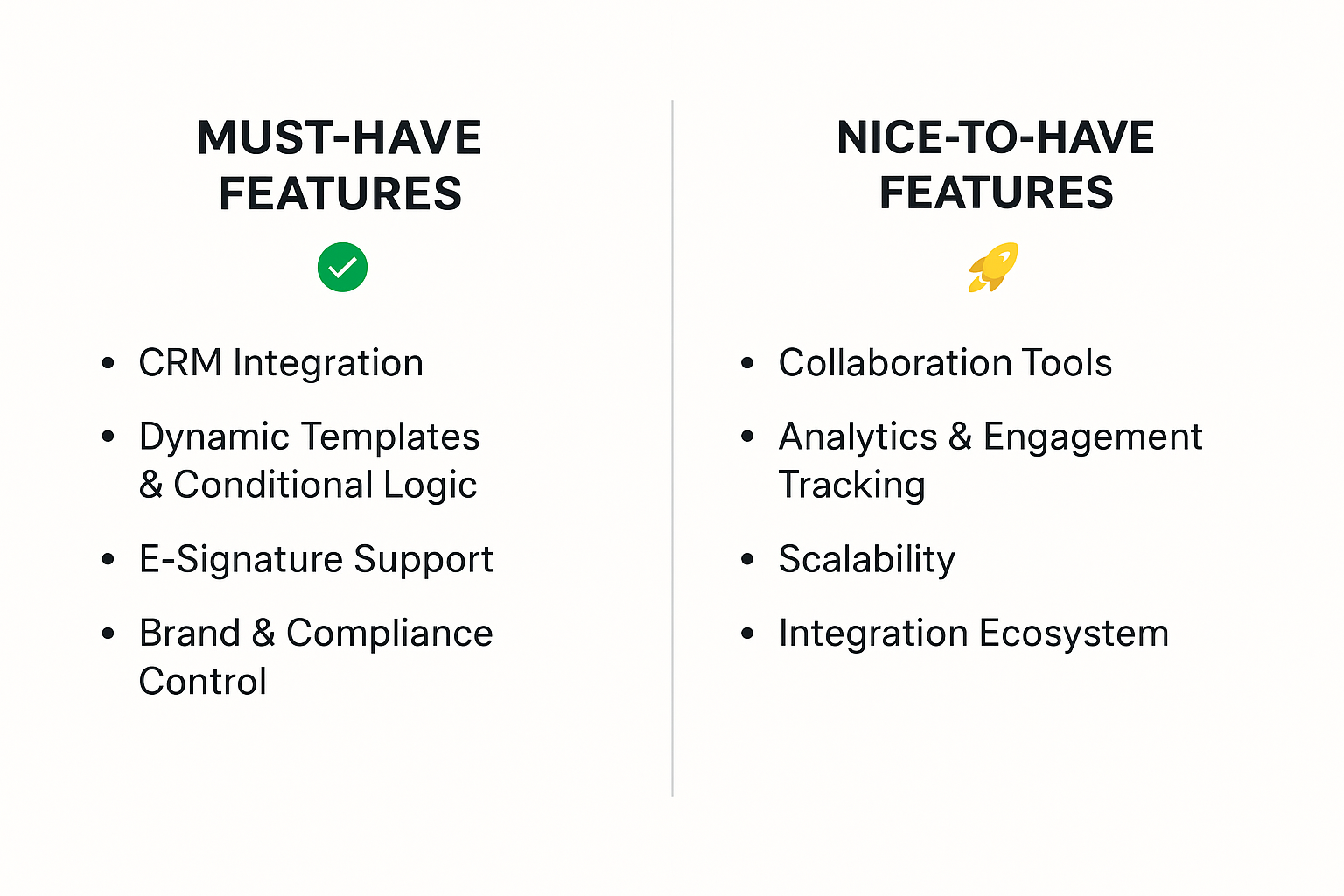
Dedicate the main test to the first group. Then test useful features if time remains. A program with many additional modules does not compensate for a missing essential stage.
2. Prepare the Data Before Activating the Demo
Clarify the Trial Access Conditions
Before the trial starts, find out which modules are available, how long access lasts, whether results can be saved, and how additional features can be requested.
For example, the free demo Telegram Soft Expert is available for 24 hours from activation. It includes the basic modules. Additional tools are provided on request, so it is worth agreeing on the required set in advance.
Prepare your test plan before activation. If you first spend time learning the interface and looking for the required sections, less time will remain for testing the actual workflow.
Prepare a Small Test Dataset
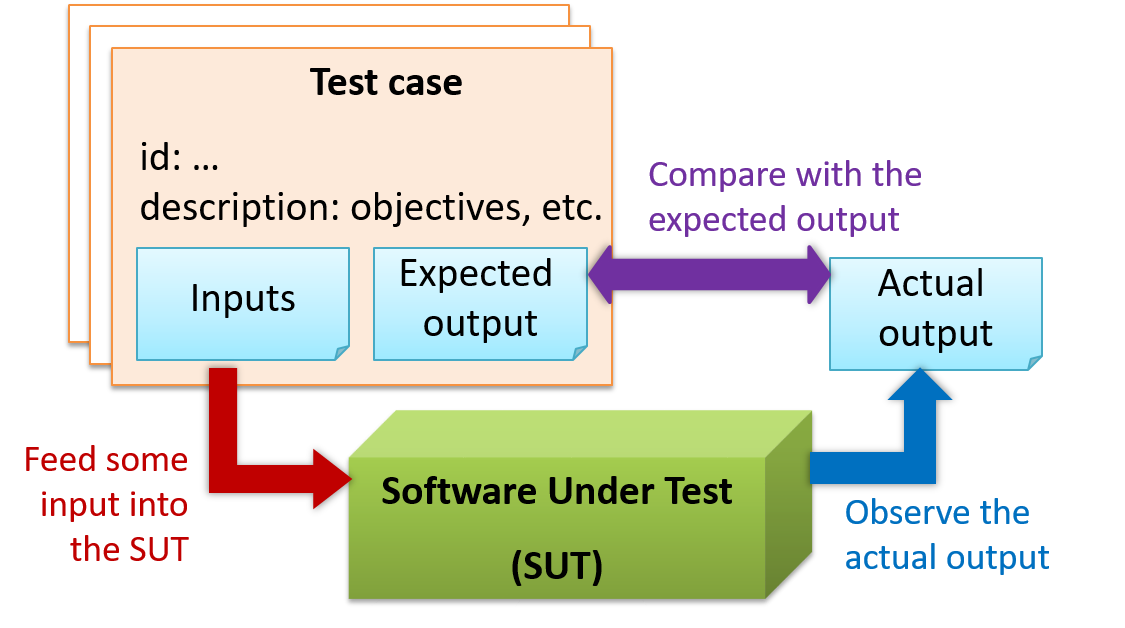
For the first run, prepare data for which you already know the expected processing result. This will help you verify how correctly the program works on specific examples.
Depending on the task, you may need:
- working or test accounts in a supported format;
- a link to a chat or another data source;
- several known participants that should be found;
- a list of users to exclude;
- a test message with the required formatting and attachments;
- an account that can be used to verify message delivery and replies.
A small sample is enough for testing. A full production database makes validation harder: if results differ, it becomes more difficult to identify the stage where the problem occurred.
Check the source data format separately.
3. Run the Test from Account Connection to the Final Result
Step 1. Connect the Accounts and Check Their Status
Load the prepared accounts and make sure the program recognizes the profiles required for the test.
If the workflow uses several accounts, test the selection of specific profiles and the distribution of tasks between them. It is important to understand which account performs each operation.
Telegram Expert provides a bulk check for this purpose. You can select a check type, such as a ban or restriction check, and configure account distribution into folders based on the result. Details are provided in the bulk-check guide.
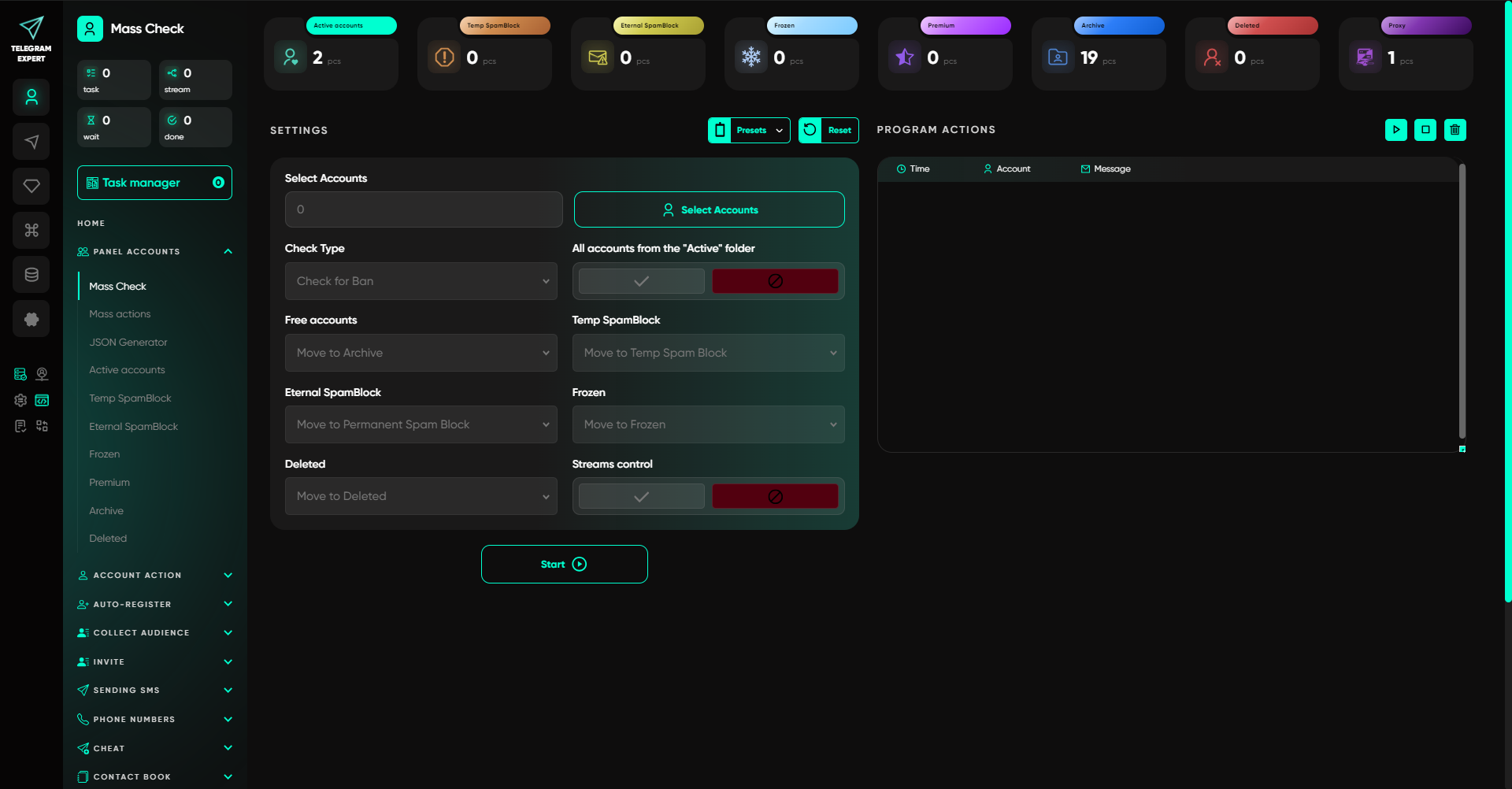
After the check, record which accounts are available for the selected task. This is the baseline you will use to compare subsequent results.
Step 2. Get Data from the Selected Source
Choose one source from a real work task. For example, when testing the collection of chat participants, select a group and specify the period for which you need a list of users who posted messages.
In Telegram Soft Expert, the module for collecting users who wrote in a chat creates a database that can be used in other program modules. The collection period is specified in the settings. When processing several links, take task distribution into account: according to the module guide, one account is required for each link in a separate task.
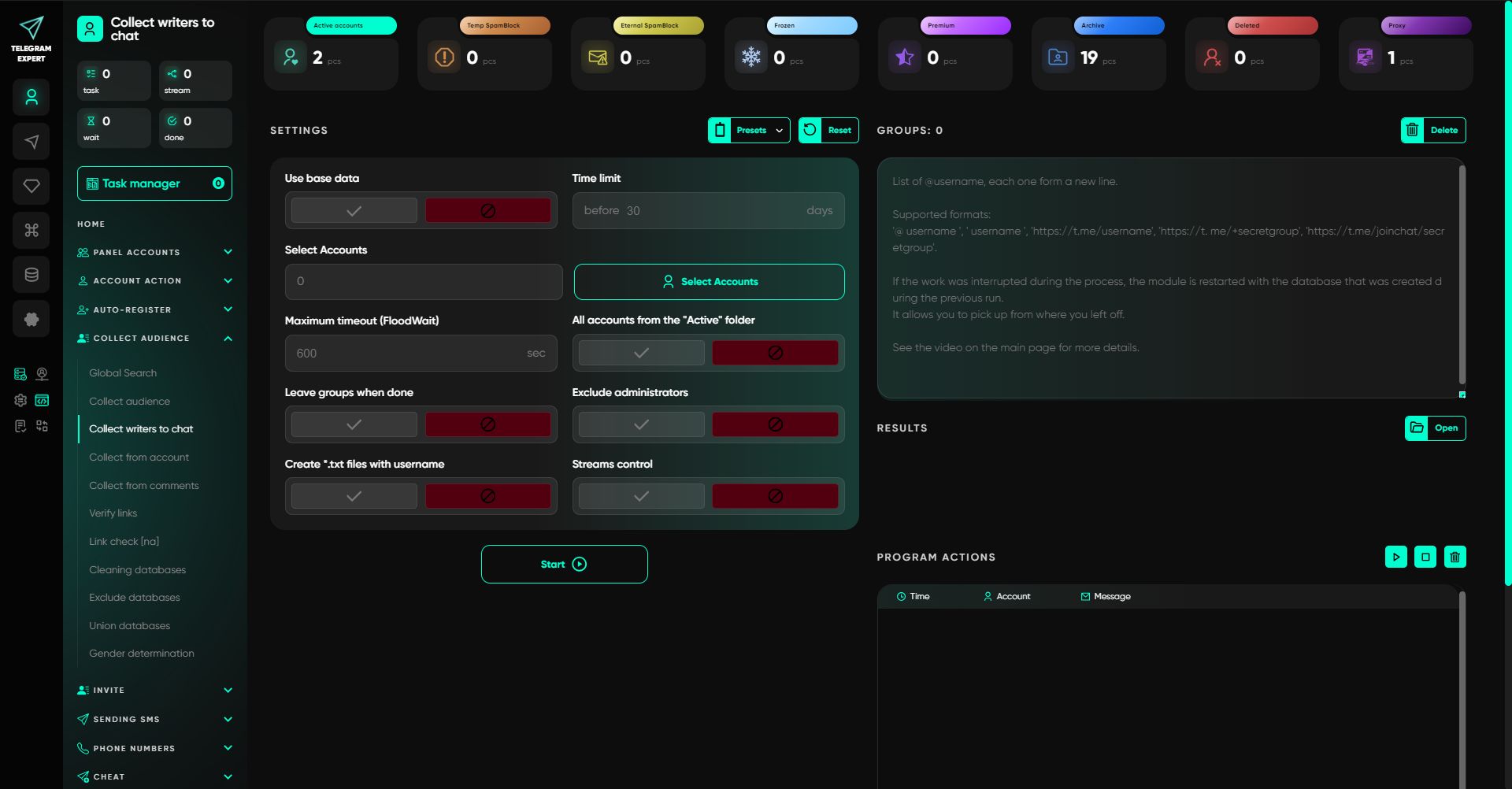
Compare the collected database with the expected result. Check several known participants, the period of their messages, and whether duplicate records are present. If some users are missing, review the source and collection settings.
A person participating in a chat does not by itself indicate interest in a specific offer. At this stage, you are evaluating whether the data was collected correctly.
Step 3. Prepare the Final Selection
After collecting the data, check whether you can turn it into a list for the next operation.
In the example above, you need to exclude users who have already received a message or should remain outside the current selection. Use a small, pre-prepared exclusion list and check which records remain after processing.
Telegram Expert has a separate database-exclusion module for this purpose. It can exclude records using a second database or a list of usernames.
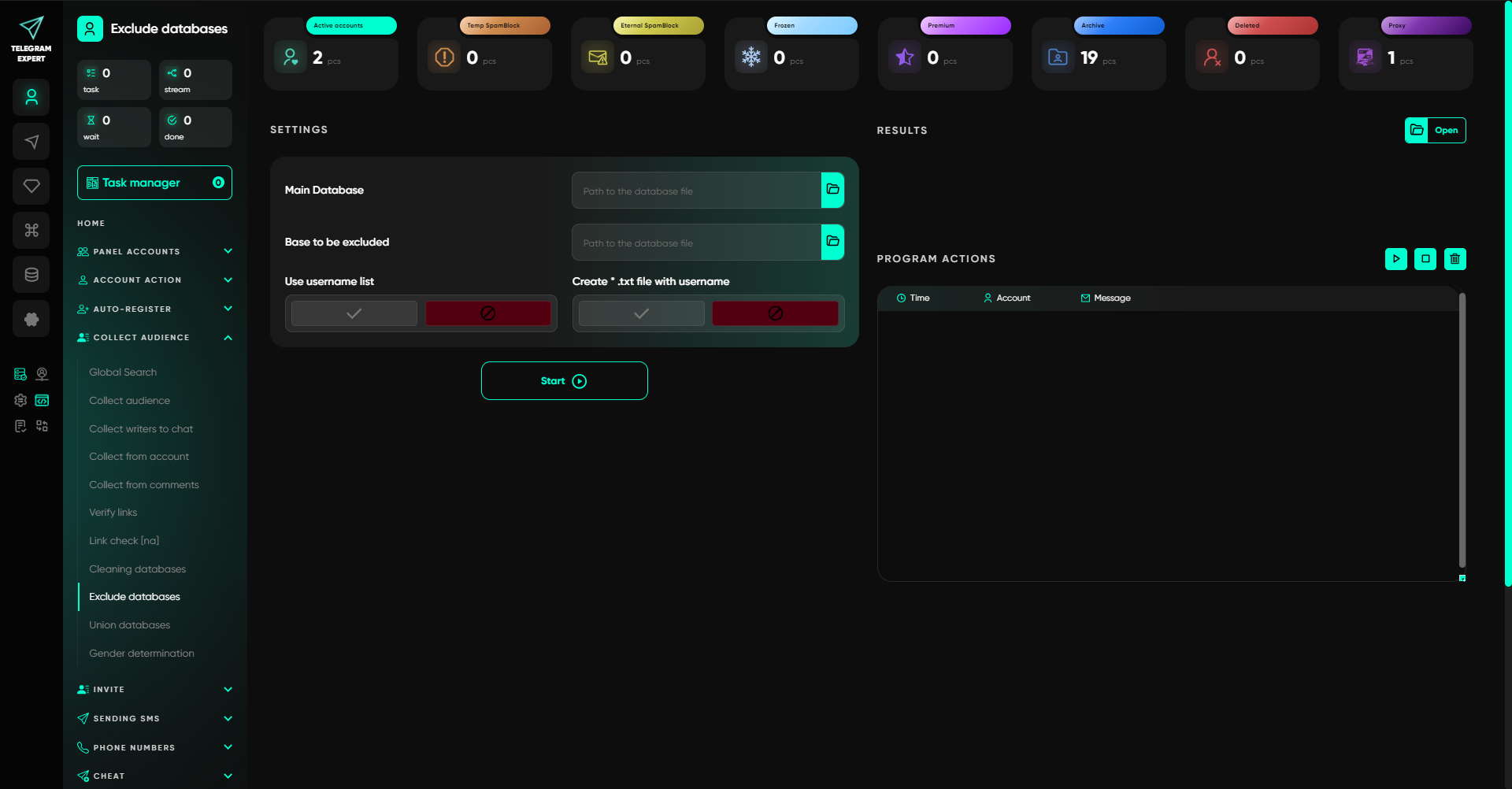
Compare the final list with the source data. Check several records that should remain and several that should have been excluded. Then use the resulting database in the next action.
Step 4. Perform a Test Action and Check the Message in Telegram
Prepare a message using your normal work template. If you use text, a link, and an attachment, test each element separately.
In Telegram Soft Expert, the message-sending module supports text formatting, links, and file attachments. The preview shows text changes. Attachments are not displayed in this window, so they must be checked in the message that is actually received. When several files or images are added, the program randomly selects one of them for sending.
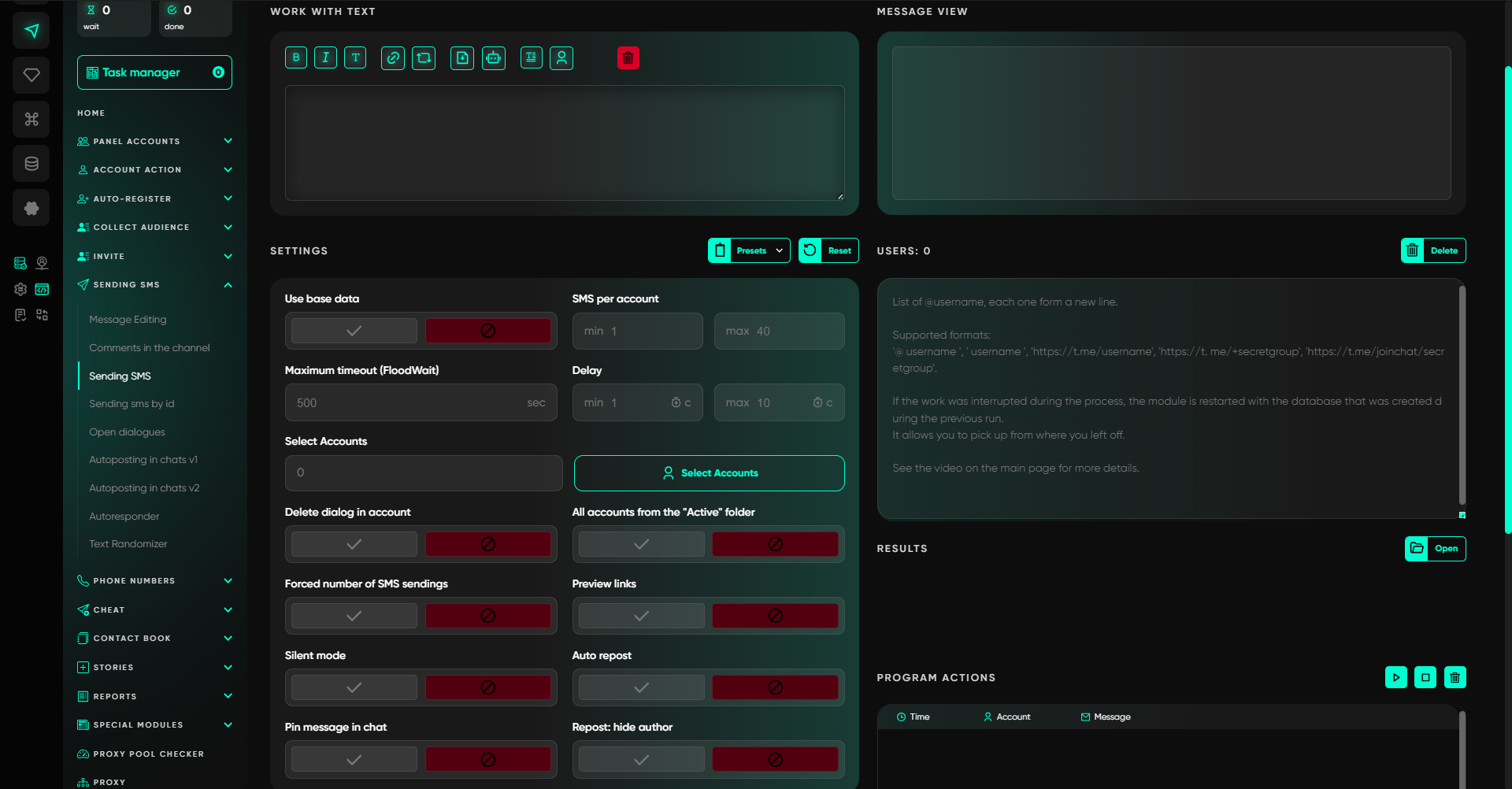
After the test run, open Telegram on the recipient side and check:
- Whether the message arrived and which account sent it.
- Whether the text, formatting, and link are displayed correctly.
- Whether the required file or other material was delivered.
- Whether the result matches the task settings.
If you are testing a Story publication, check it from another suitable account. This lets you see the actual publication result and whether the material is available to the selected audience.
Step 5. Test Incoming Message Handling
If the workflow uses several accounts, check whether replies are convenient to process and whether the connection between a message and the account that received it is preserved.
Telegram Expert provides the Forwarder for this purpose. Incoming messages from selected accounts are forwarded to a work supergroup. An operator can reply inside it, after which the response is sent to the conversation partner from the account that received the original message. To use it, prepare a group and add the participating accounts and operators. The setup process is described in the Forwarder guide.
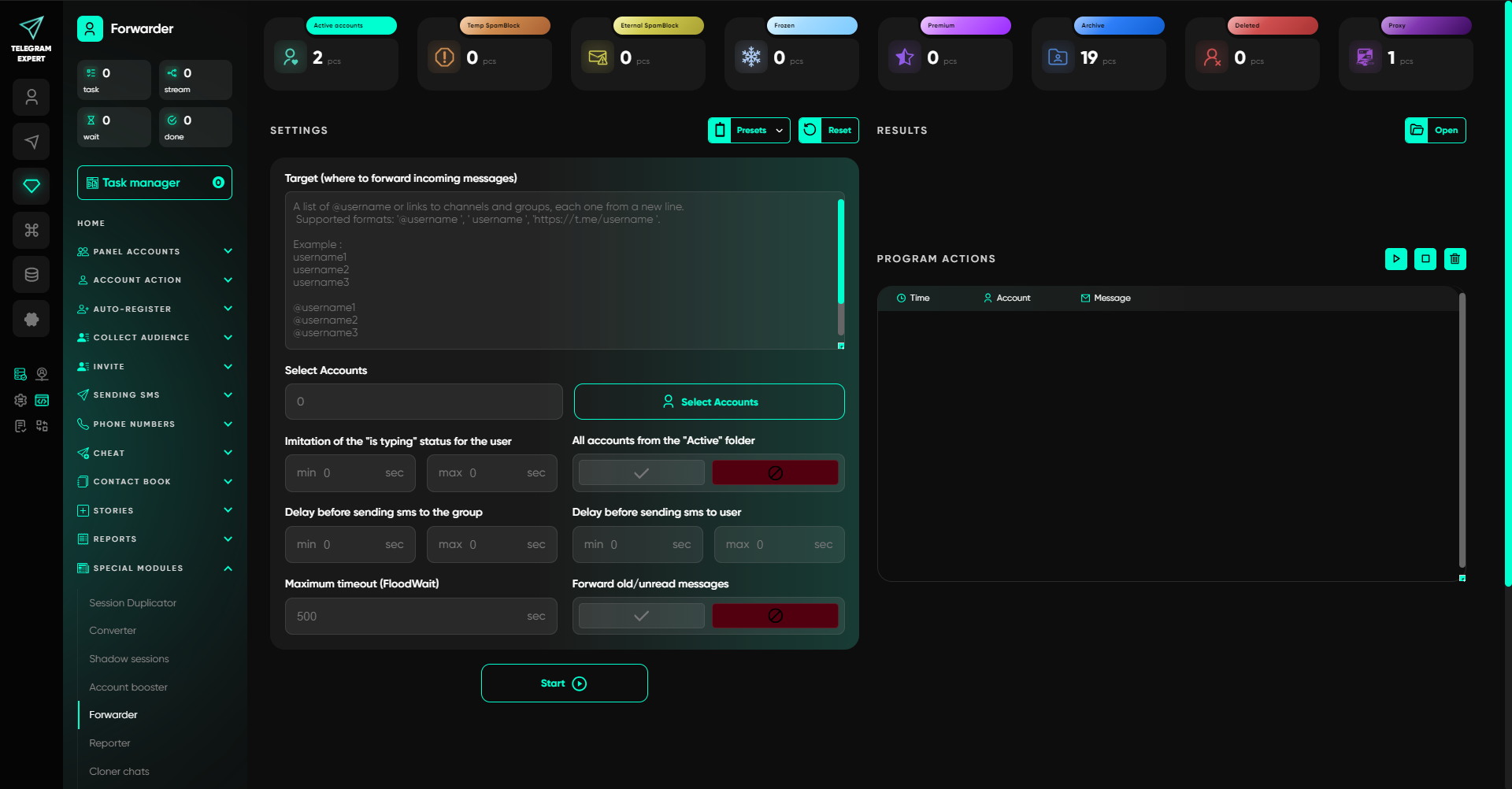
During the test, send messages from several accounts so they can be distinguished in the work chat. Then reply to each message and check how the response appears to the corresponding recipient.
This will let you evaluate the organization of incoming conversations and understand how much account switching still remains for the operator.
Step 6. Compare Completed Actions with the Report
At the end of the test, check which operations the program saved and whether the results can be used for the next run.
In Telegram Soft Expert, the report generator works with result databases from message mailings or invitations. The report can retain successful operations and produce a separate database for the selected direction.
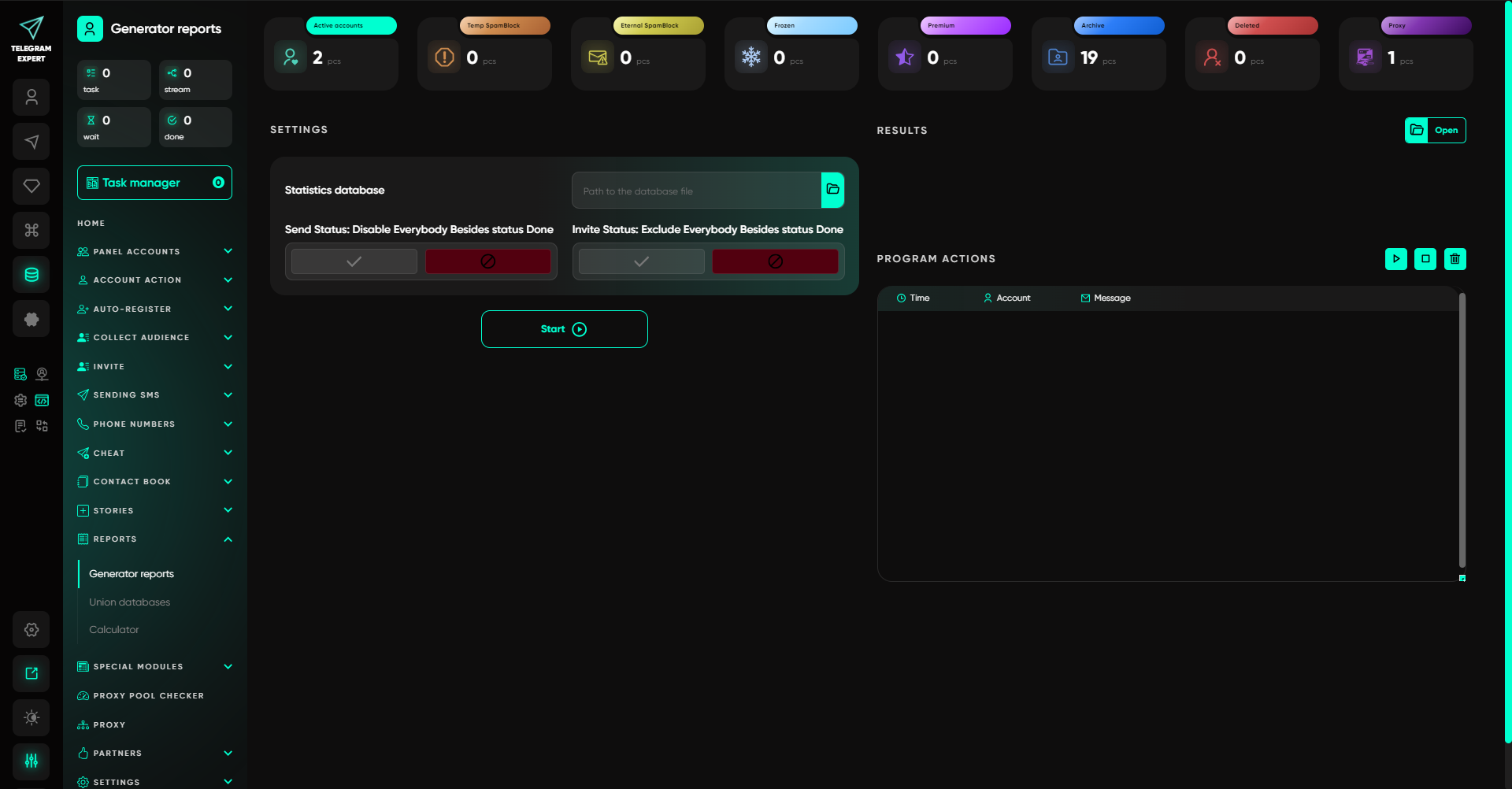
Compare several report records with the results from the previous steps. Check that successful and unsuccessful operations are assigned to the appropriate statuses and that the final data is available for further work.
Then prepare the next run using a small sample. Use the saved results and exclusions. See which actions have to be repeated and how much time preparation takes.
4. Check How the Program Helps You Troubleshoot Errors
In regular work, it is important to quickly find the problematic operation and understand at which stage settings or data need to be corrected.
A few controlled situations are enough for this test. Use a file in the wrong format, a test group without the required permission, or stop a task normally. Then open the saved results and check whether you can understand what has already been completed and what needs to be continued.
For each error, record the message text, account, stage, and task settings. This record will help you reproduce the situation and compare how different programs behave.
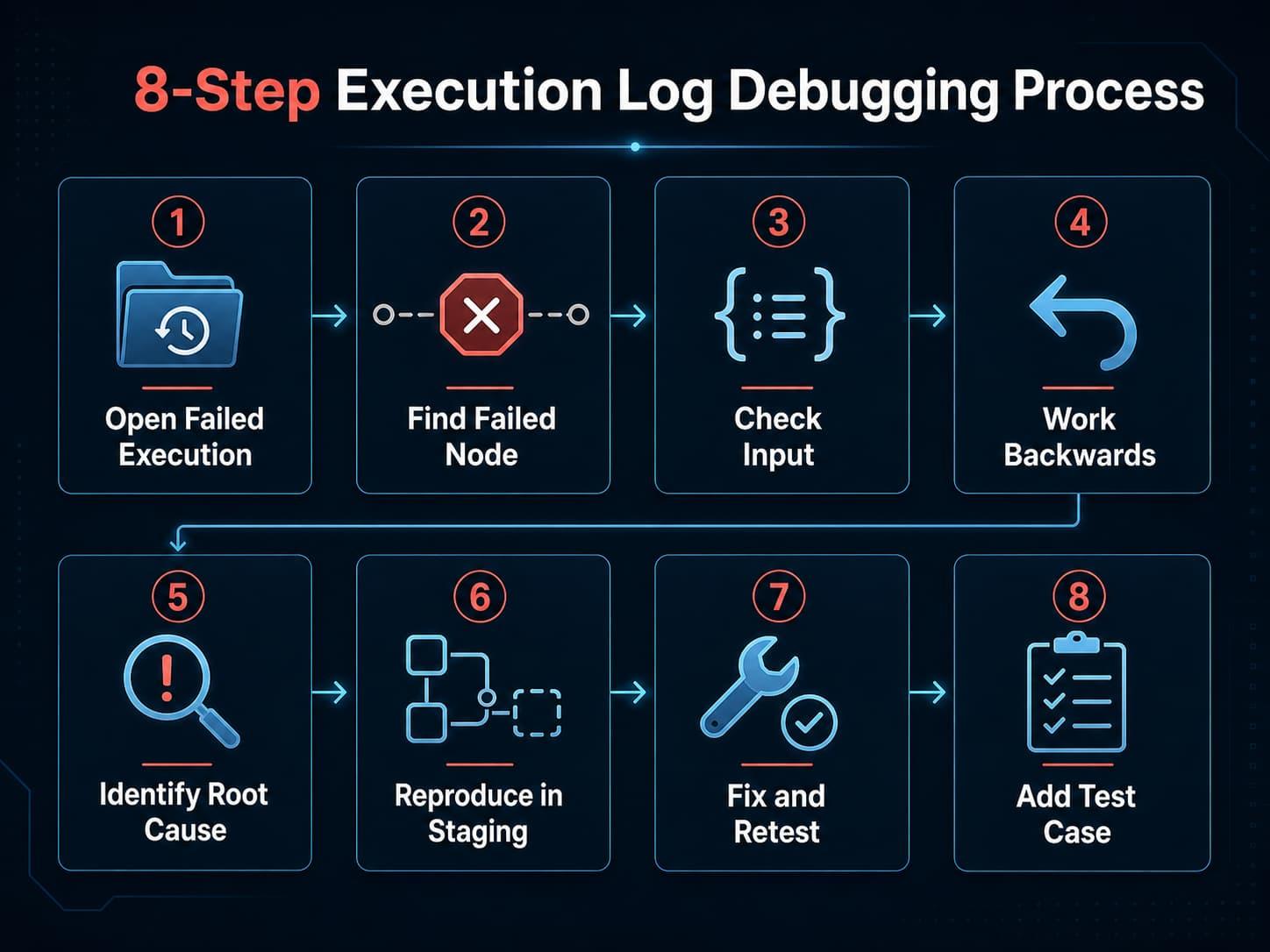
The cause of an error can belong to different parts of the process, including input-data errors, access restrictions, authorization problems, and server errors. For troubleshooting, it is therefore useful to save the exact error text or code and the conditions under which it appeared.
Evaluate how easy it is to find the problematic record, determine the cause, and continue working. If every failure forces you to restart the entire process and collect the data manually again, that will increase the daily workload.
5. Measure How Much Operator Time Remains
Comparing programs only by the speed of a single operation gives an incomplete picture. Data preparation, switching between accounts, checking messages, and fixing errors are also part of the workflow.
During the test, measure separately:
- preparing accounts and source data;
- configuring the task;
- the operator’s active work during execution;
- checking the results;
- troubleshooting errors and repeating actions;
- preparing the next run.
Treat the program’s initial setup separately from routine work. The interface may take time to learn, so one-time training should not be mixed with the effort required for every subsequent run.
Use a simple formula to evaluate the effect:
Work-time savings per cycle = previous manual-work time − operator active time with the program.
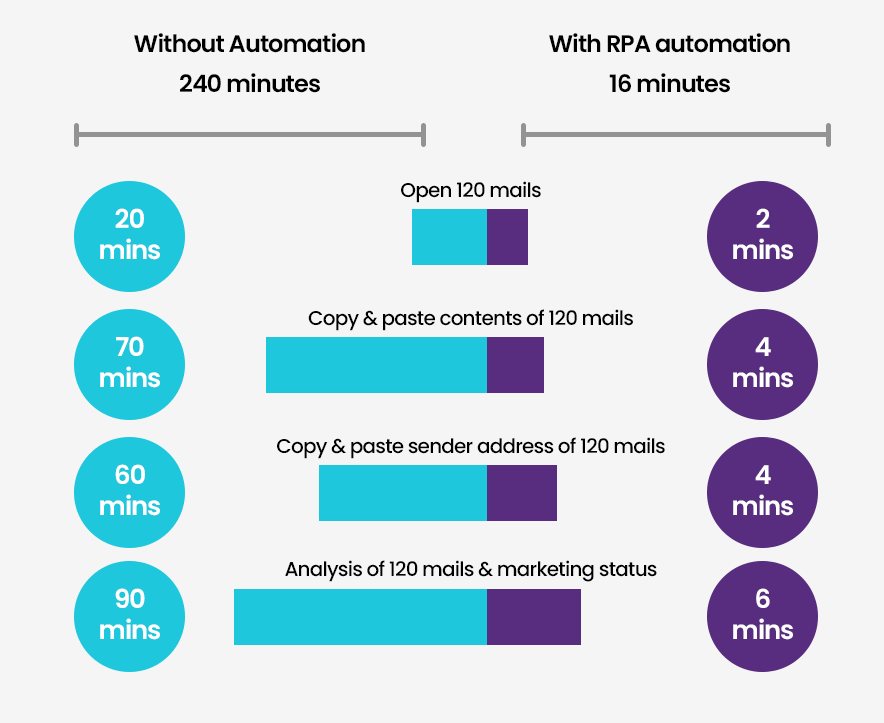
Also record the time the task runs independently. It affects the overall completion time, even though the operator may work on other tasks during that period.
After several runs, it will be easier to understand which operations the program genuinely simplifies and which still require manual processing.
6. Compare Programs Under the Same Conditions
If you are choosing between several solutions, test them using comparable source data. Use the same sample, the same message, identical result requirements, and the same workstation. Run the programs one after another and record account status and connection parameters.
Track the network connection separately if it is part of your workflow. Record the proxy type, region, session mode, validity period, and traffic costs. Keep these parameters unchanged during comparison so that connection changes do not distort the result.
For this type of test, you can consider ArealProxy residential proxies. Its residential proxy line offers pay-as-you-use traffic, supports both sticky and rotating sessions, and provides traffic-usage statistics in the dashboard. Purchased traffic in this line does not expire.
The service also offers a separate line of residential proxies with unlimited traffic. You choose the speed and connection period, including an hourly option. The selected speed and access duration remain fixed even though traffic volume is not limited.
Choose the connection option based on the expected workload and budget. One set of conditions may suit a short functional test, while regular work with high traffic volumes will require a different calculation. Compare the connection cost together with the software license and the cost of other working resources.
7. How to Test Telegram Expert on Your Own Workflow
If your regular work includes managing multiple accounts, collecting audiences, mailings, handling incoming messages, and reporting, test the program on that sequence of actions.
Telegram Expert combines specialized modules for account management, source discovery and data collection, database preparation, mailings and invitations, Story publishing, incoming-message handling, and report generation. Evaluate them using the specific tasks required in your project.
For the scenario described above, the test plan may look like this:
- Import the prepared accounts and check their status.
- Collect a small database from the selected source for the required period.
- Exclude records using the prepared list and compare the result.
- Send a test message and verify it on the recipient side.
- Handle incoming messages if this stage is part of the workflow.
- Generate a report and prepare the data for the next run.
Before starting the demo, make sure the required modules are available. If your task needs a tool that is provided on request, arrange access to it before activation.
After the main test, you can evaluate additional scenarios used in the project. Telegram Soft Expert Global Search lets you search for chats, channels, and users by keyword. The Autoposting in Chats V2 module sends messages to groups that the selected accounts have already joined. Story publishing lets you select accounts and an audience, although the file-size limit is 10 MB and the availability of publishing without Premium depends on the account’s geography. The Autoresponder works from a predefined template.
Test additional functions only when they are genuinely required for your work. This makes it easier to evaluate the program’s practical value without spending the demo period exploring unnecessary sections.
8. Make a Decision Based on the Test Results
After the test, collect the results in one place. Record the must-have tasks, the actions actually completed, the manual work that remains, operator time, and additional expenses.
Before buying, answer six questions:
- Were all must-have stages of the workflow completed?
- Do the results match what you expected to receive?
- Can the path of the data be traced from the source database to the report?
- Is it clear how to troubleshoot errors and continue working?
- How much operator time does one complete cycle require?
- What additional expenses will be required for regular work?
If the must-have tasks were completed, the results were verified, and the remaining amount of manual work is acceptable, you can move on to choosing a license. If a required module was unavailable or an important stage could not be tested, continue testing once the necessary conditions are prepared. If a key task cannot be completed or too much manual work remains, it makes sense to consider another tool.
A basic test shows whether the software is suitable for the selected process. Long-term work and higher volumes require an additional test under conditions close to the expected future load.